Designing modern VPN for enterprises
I helped Cyberight design and launch ZTMesh, a mesh VPN solution that simplifies complex network configurations for IT administrators.
01
My Role
I joined Cyberight in 2022, a startup with 35 team members. I worked closely with my design manager to research, design, prototype, and validate our developed solutions. Developing a technical product from scratch posed many challenges and ambiguities. However, our unwavering collaboration enabled us to move swiftly and create a solution we were all proud of.
Accomplishments
We successfully launched a VPN solution capable of supporting large enterprises after two years of development. Within the design team, we established efficient processes that proved highly effective.
Process Improvements
Our Jira design team Kanban board workflows are transparent and adaptable, accommodating our agility in both design and development.
Design Framework
Furthermore, we developed a framework for design documentation that is scalable and meets all stakeholders' needs. Additionally, we implemented a design system that can evolve alongside new designs, ensuring consistency and efficiency in our development efforts.
02
Deliverables
I designed a complete VPN Management solution called ZTMesh. The solution includes a React web application, a macOS and Windows native app, an iOS and Android app, and a ZenDesk Help Center.
Web Application Portal
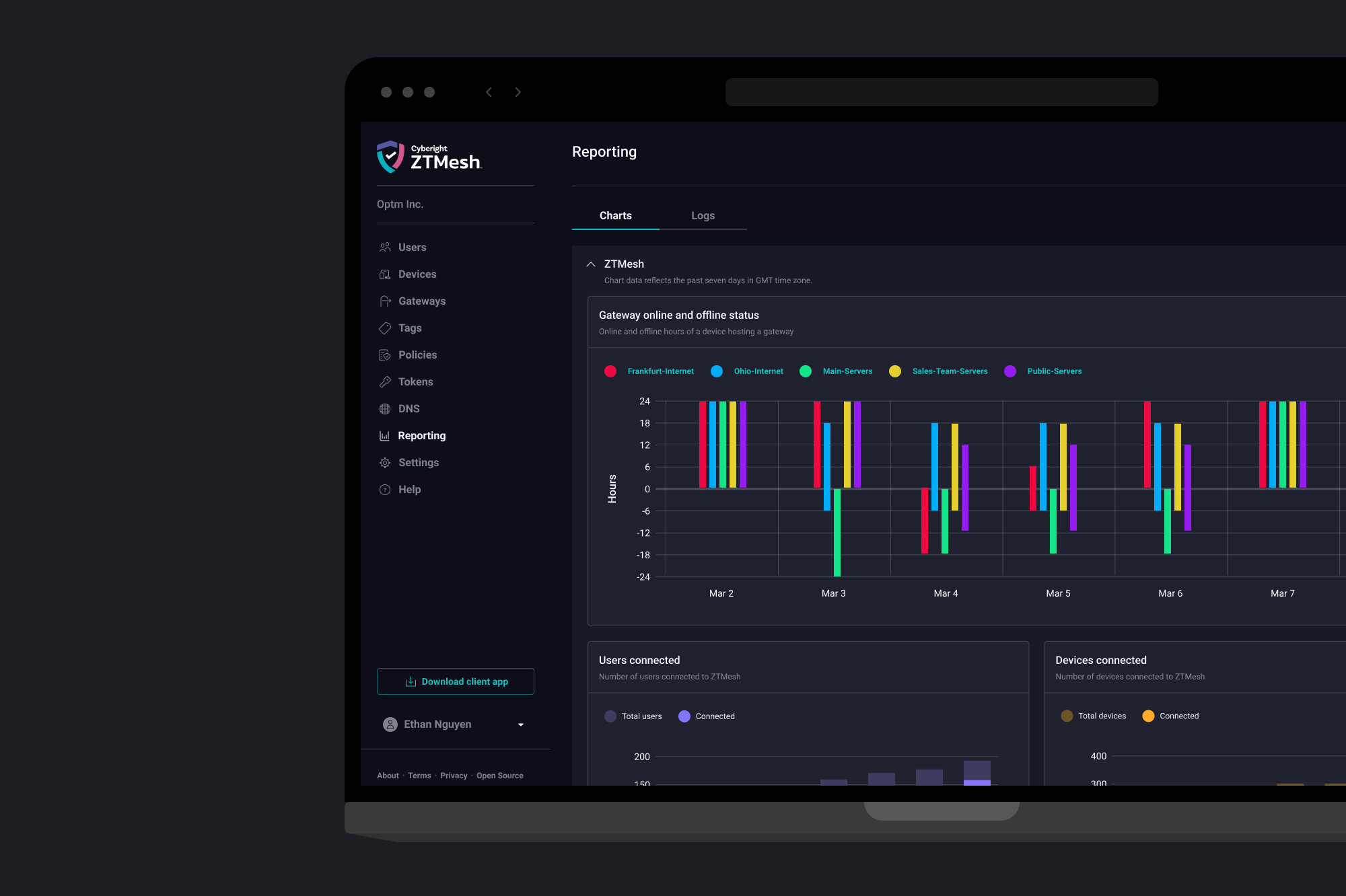
The web application portal is designed for IT administrators, allowing them to set up and manage their organization's VPN configurations and access strategies.
Complete Solution
ZTMesh includes native applications for desktop and mobile platforms, along with a comprehensive help center to support users.
macOS and Windows Native App
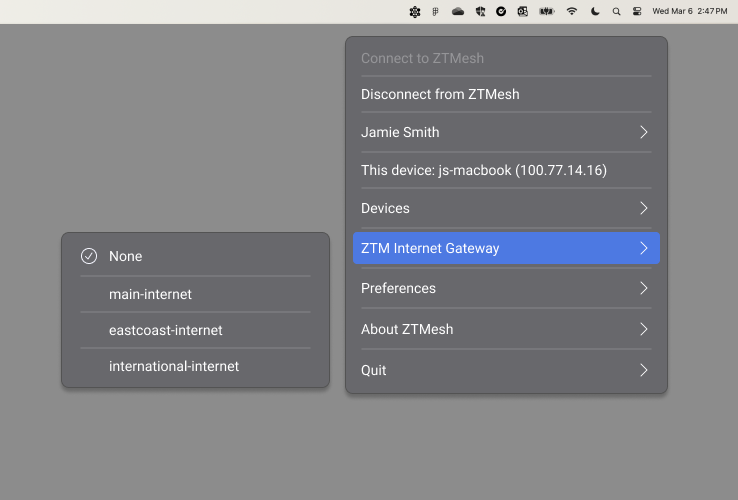
I designed macOS and Windows VPN apps for employees to connect to their organization's VPN. These desktop apps enable users to secure their devices and access resources.
iOS and Android Native App
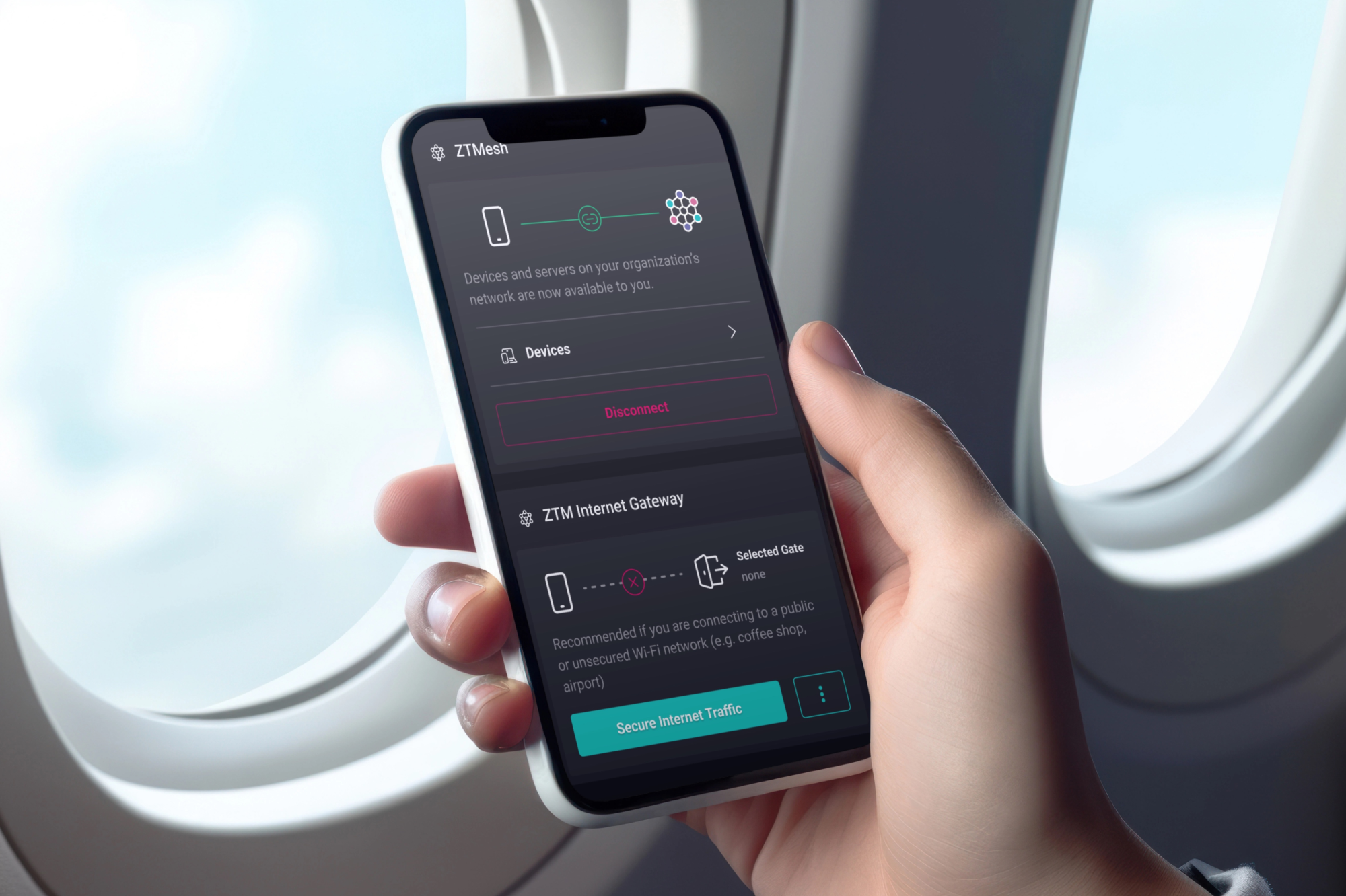
I designed the mobile applications. These apps enable employees to secure their mobile devices and access resources once their device is connected to their organization's VPN.
Help Center with ZenDesk
We utilize ZenDesk to manage our Help Center, where customers can access how-to guides, help articles, and submit request tickets. I selected and customized our ZenDesk template to align with the core product. Additionally, I assisted our copywriter in drafting help articles to be published on ZenDesk.
03
The Problem
Traditional Virtual Private Network (VPN) SaaS solutions often lack the level of security required in today's world of constant cyber attacks. VPN management tools can be challenging to configure and monitor network activities, making it difficult for IT administrators to stay ahead of vulnerabilities.
Trust
Traditional VPN solutions are not built on a high level of authentication and access principles. We designed ZTMesh based on the three Zero Trust Principles: verify explicitly, use least-privilege access, and assume breach.
Vulnerable End-Points
Unlike perimeter-based security measures, ZTMesh enhances secure networking by providing robust endpoint protection to individual devices.
High Hardware Cost
Traditional VPN requires companies to purchase a lot of hardware for initial setup. The mesh VPN network model allows us to create a highly secure cybersecurity mesh without the need for additional hardware, offering enhanced security at a lower cost.
04
My Approach
I regularly met with our CTO and TPM to discuss product roadmaps, evaluate the goals of new features, and validate those that were developed. Additionally, I frequently connected with the DevOps team to understand the capabilities of our APIs better, enabling more informed discussions with the front-end developers.
Research
This project was more technical than any previous one I had worked on. Every feature I designed required thorough research to understand its functions and purpose. Fortunately, our team had a few subject matter experts internally whom I could consult to gather insights. Additionally, I conducted extensive research by reading documentation, auditing direct competitors' tools, and watching training videos online.

Collaboration
Each day after our morning stand-up, the three front-end developers and I synced up to review and verify the accuracy of the designs and their implementation. We also utilized this time to discuss opportunities for improvement.
05
Design System
I sought a more efficient approach to creating new designs, documenting them, managing assets, utilizing components, and handing off designs to developers. After extensive iteration and refinement, we established a framework that proved highly effective. The Design System is organized into four distinct Figma files, each serving a specific purpose in our design workflow.
Style Guide
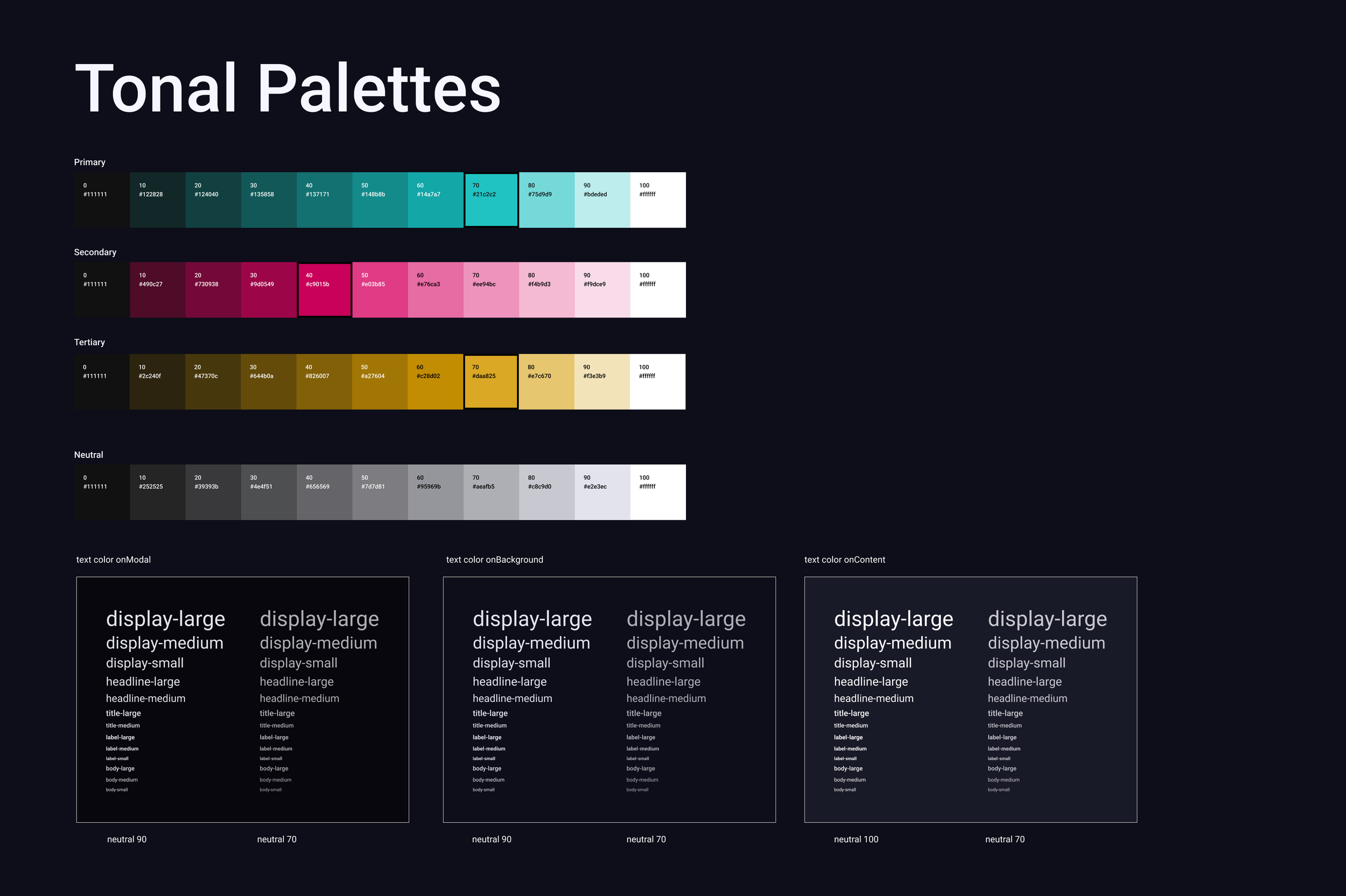
In establishing the Design System, I prioritized elements that would maintain brand unity across all product touchpoints. The UI was intentionally designed with a dark color palette to differentiate our product from competitors while reducing eye strain for users. The first file serves as the foundation, managing color palette, typography, and spacing through Figma local variables configured as design tokens with unique identifiers, enabling consistent implementation across the entire platform.
Icons
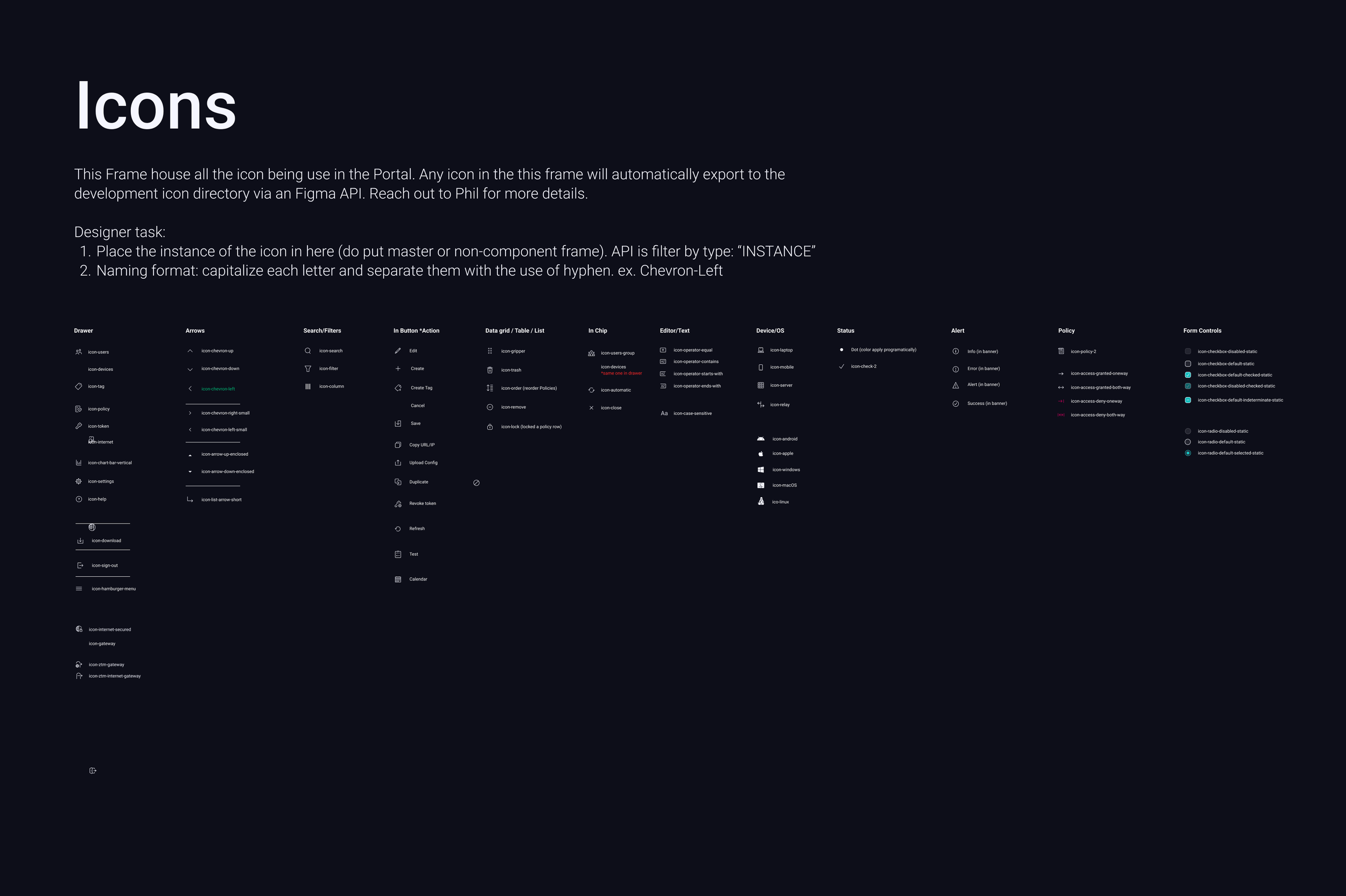
The second file systematically organizes our complete icon catalog, with active icons methodically placed into designated frames. We implemented a Figma API integration that allows our development team to automatically synchronize icons into our GitHub repository on a scheduled basis, maintaining alignment between design assets and code throughout the development lifecycle.
Strings
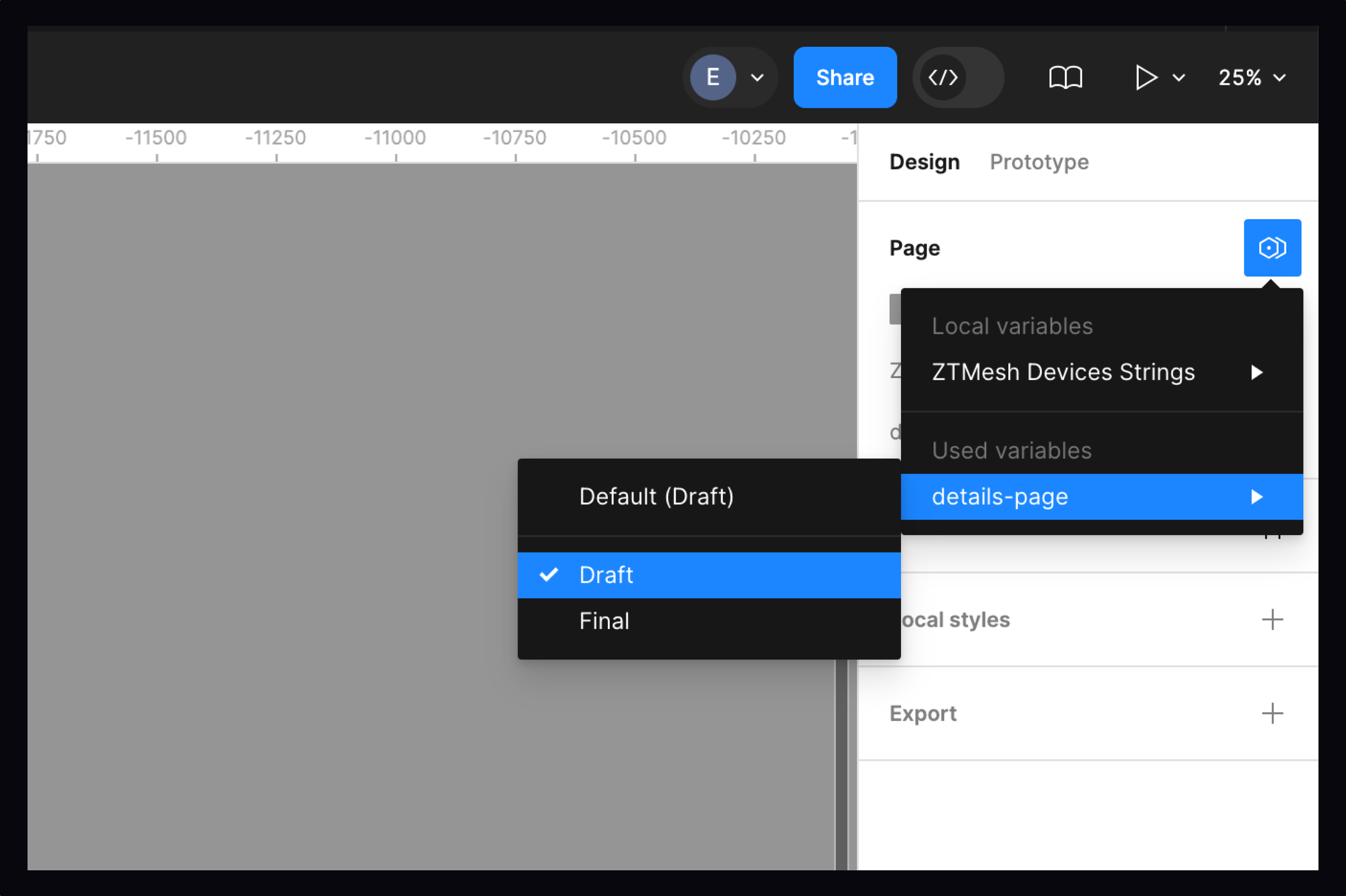
The third file functions as our master common string repository, where we leverage Figma local variables to manage strings and localization systematically. This centralized approach ensures consistent messaging across the platform. For feature-specific content, strings are stored in dedicated feature string files, maintaining clear separation between global and contextual content while preserving scalability.
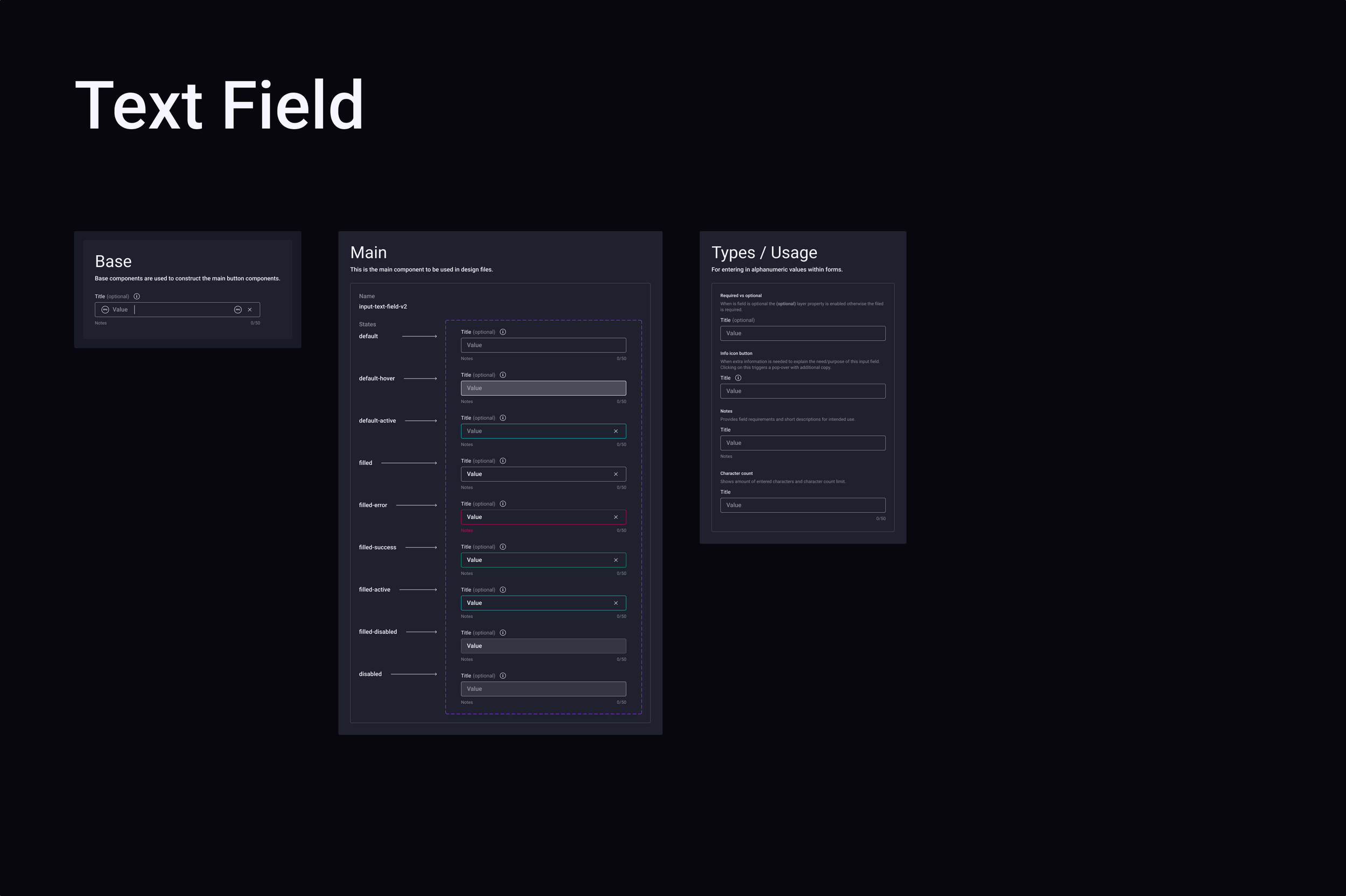
Reusable Components
The fourth file houses our library of reusable components, which are created and published for use across all design work. These components systematically leverage design tokens from the first three files—styles, icons, and strings—ensuring visual and functional consistency throughout the design system. This modular architecture streamlines the design process and maintains design integrity as the product scales.
06
Challenges
Two primary challenges emerged in designing this SaaS tool. First, the information architecture required careful consideration: since every page and data type can be edited, I proposed separating detail and edit functionalities into distinct pages to reduce cognitive overload, simplify code, and help users focus on editable content. Second, handling unexpected events and edge cases demanded extensive collaboration: developers and I spent several sprints testing and documenting all scenarios across multiple API interactions, then worked with our copywriter to craft clear, consistent, and actionable messaging that keeps users well-informed and able to take appropriate actions.

Information Architecture
In our SaaS tool, the design centers on reviewing data and making configurations, with every page and data type being editable. I proposed an information architecture solution that separates detail and edit functionalities into distinct pages. Data is initially presented on a details page with a single edit button, routing users to a dedicated edit page when modifications are needed. This approach effectively reduces cognitive overload, simplifies code architecture, and eliminates display of non-editable content, enabling users to focus exclusively on actionable elements.

Unexpected Events
Handling edge cases, unexpected events, various error types, and diverse UI states is inherent to this platform, where a single page often interacts with multiple APIs. To provide users with the most accurate feedback, developers and I dedicated several sprints to comprehensive testing and documentation of all scenarios. I then collaborated with our copywriter to craft messaging that delivers high levels of clarity, consistency, and actionable guidance, ensuring users remain well-informed and can take appropriate actions based on the feedback provided.
06
Solutions
The final solution delivers an intuitive and easy-to-navigate VPN Management Portal. The interface features a left drawer navigation menu that systematically lists all available features, organized by frequency of use—from most to least common needs—enabling users to quickly access the tools they require most frequently.
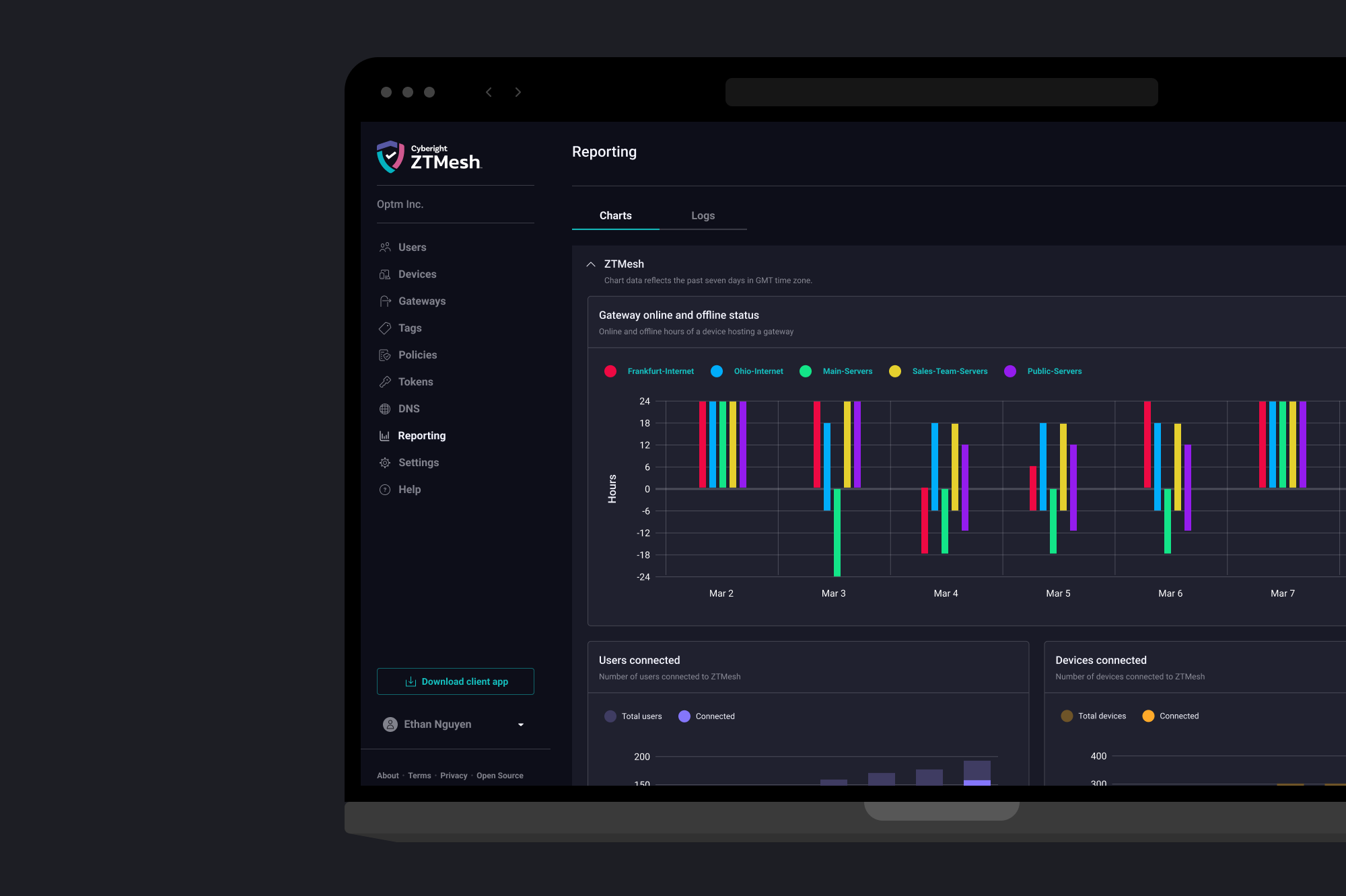
Design of the Portal
Upon signing into the portal, IT administrators are presented with a dashboard displaying high-level network status and quick action options they can initiate. Most data is organized into table view lists as the primary interface, with each document featuring a dedicated details page. The details page employs a two-column layout: the left column displays metadata directly related to the selected document, while the right column presents associated information. This layout provides a clear and intuitive structure that enables IT administrators to access and manage network data efficiently.
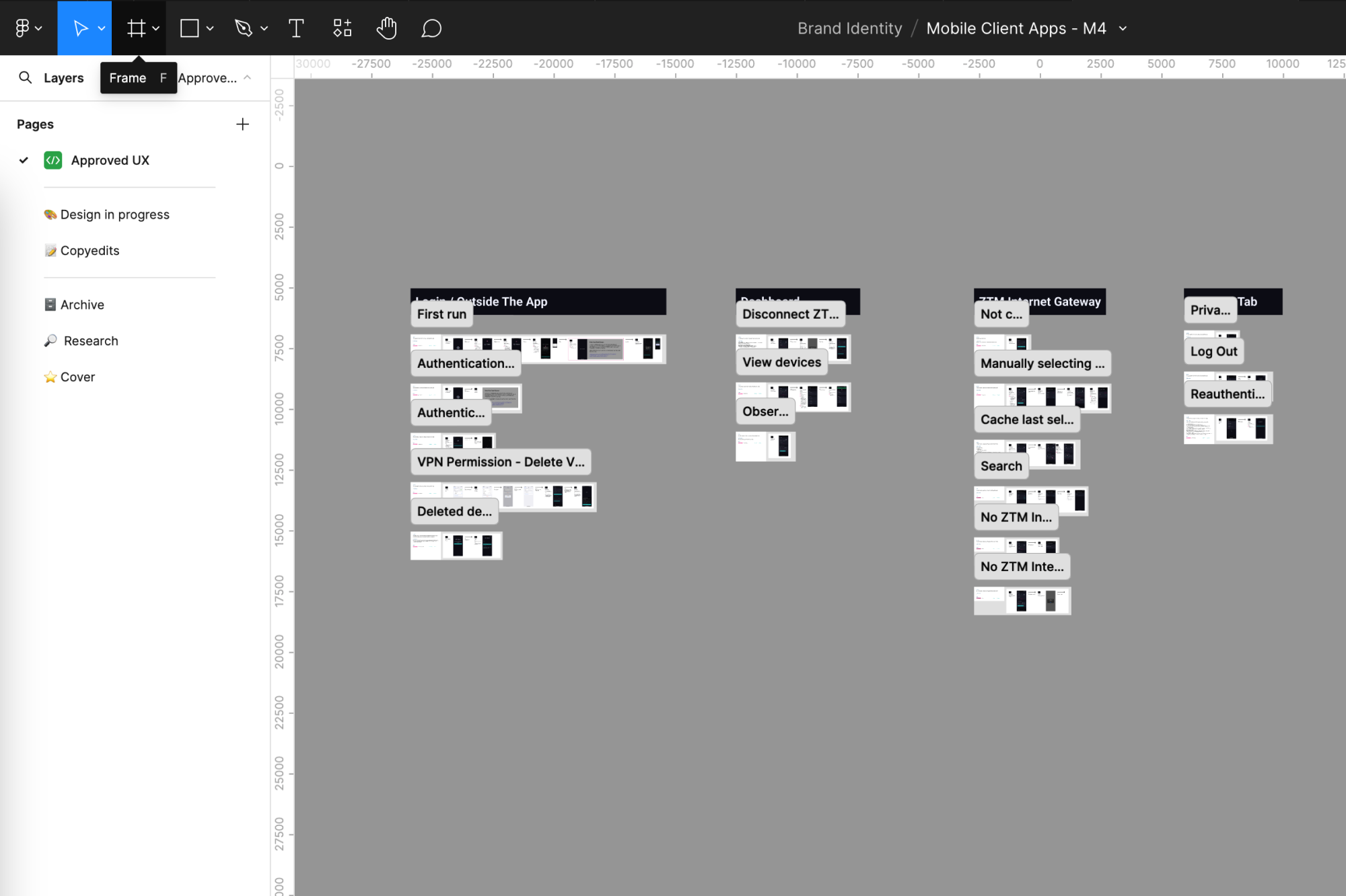
Design Documentation
I separated each feature into its own Figma file to maintain manageable file sizes and create local components specific to each feature's UI. Each functionality is comprehensively documented within its own section. At the beginning of every section, I document the API's payload, the feature's purpose, and implementation instructions for front-end developers. Additionally, the documentation tracks design status and links to Jira tickets and technical specifications documented in Confluence. This structured approach ensures clarity and consistency throughout our design and development process.
07
Impacts
Given the small size of our organization, every design and development effort required critical prioritization and careful cost considerations. While we could not reduce the fundamental work of establishing the infrastructure and product necessary to roll out a VPN solution, our strategic approach to design system development and documentation enabled us to maximize efficiency and minimize redundant work across the team.
Process Improvements
My manager and I refined every process we engaged in to maximize efficiency. This included improving our communication in JIRA and during stakeholder meetings to reduce inefficient use of time. We enhanced how we document our designs to provide greater clarity, reducing assumptions and issues during sprint planning and development cycles.
Business Growth
I helped establish a collaboration and validation process with our front-end development team that significantly reduced bugs and rework. This systematic approach to design handoff and developer collaboration created a more streamlined workflow, improving overall team productivity and code quality.
Product Enhancement
By questioning standard practices and task flows, and seeking better approaches, we created a VPN solution that minimized most of the complexity associated with traditional VPN tools. Our ZTMesh workflow for creating an ACL (access control list) differs fundamentally from competitors: while other solutions require IT administrators to write scripts to structure rules, ZTMesh's innovative visual configuration approach eliminates the need for coding, making network management accessible to a broader range of administrators.
08
Colleagues
Feedback from colleagues on my work on the ZTMesh VPN solution.

Sri Kalyan Challa
Front End Developer

Scott Buratt
Sr. Technical Project Manager